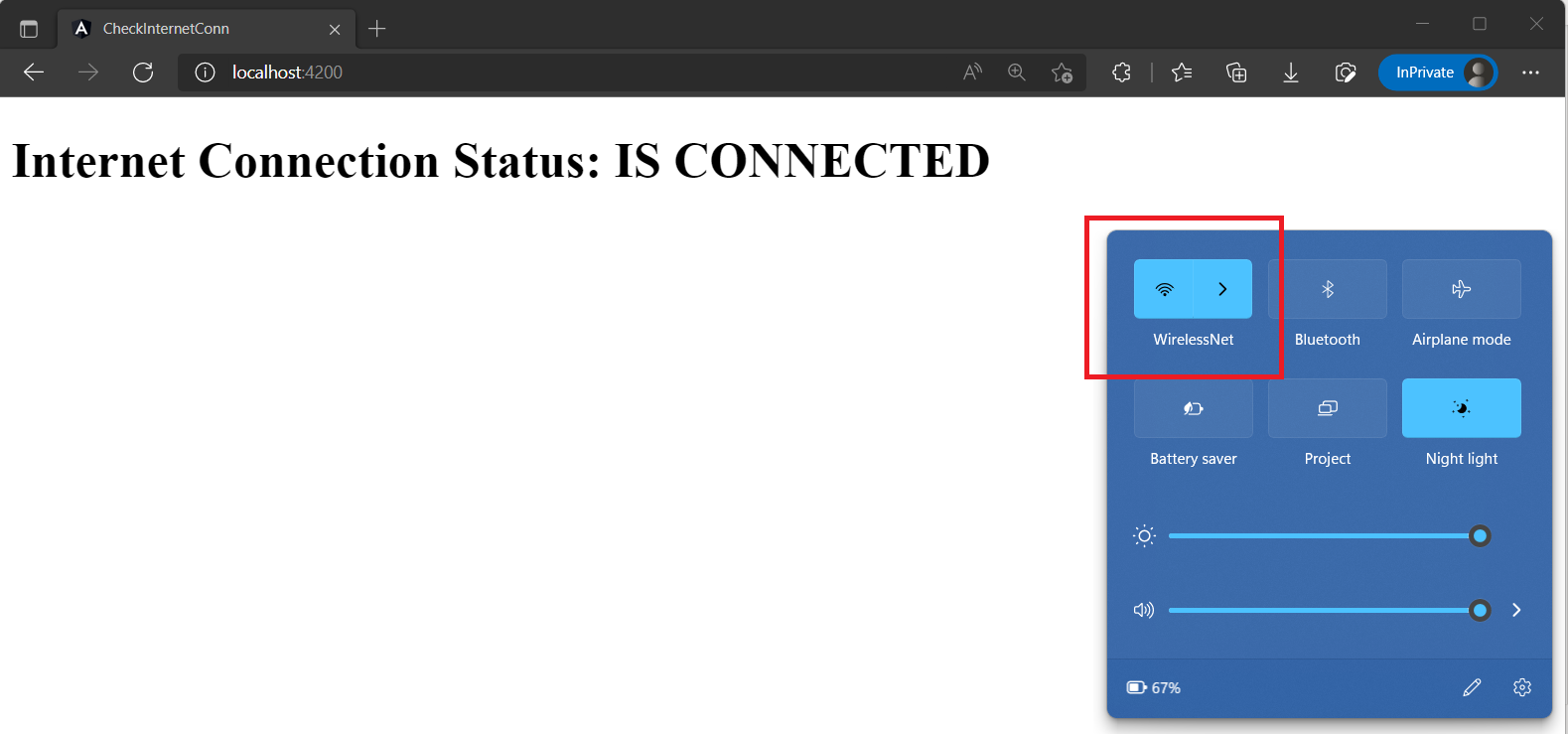
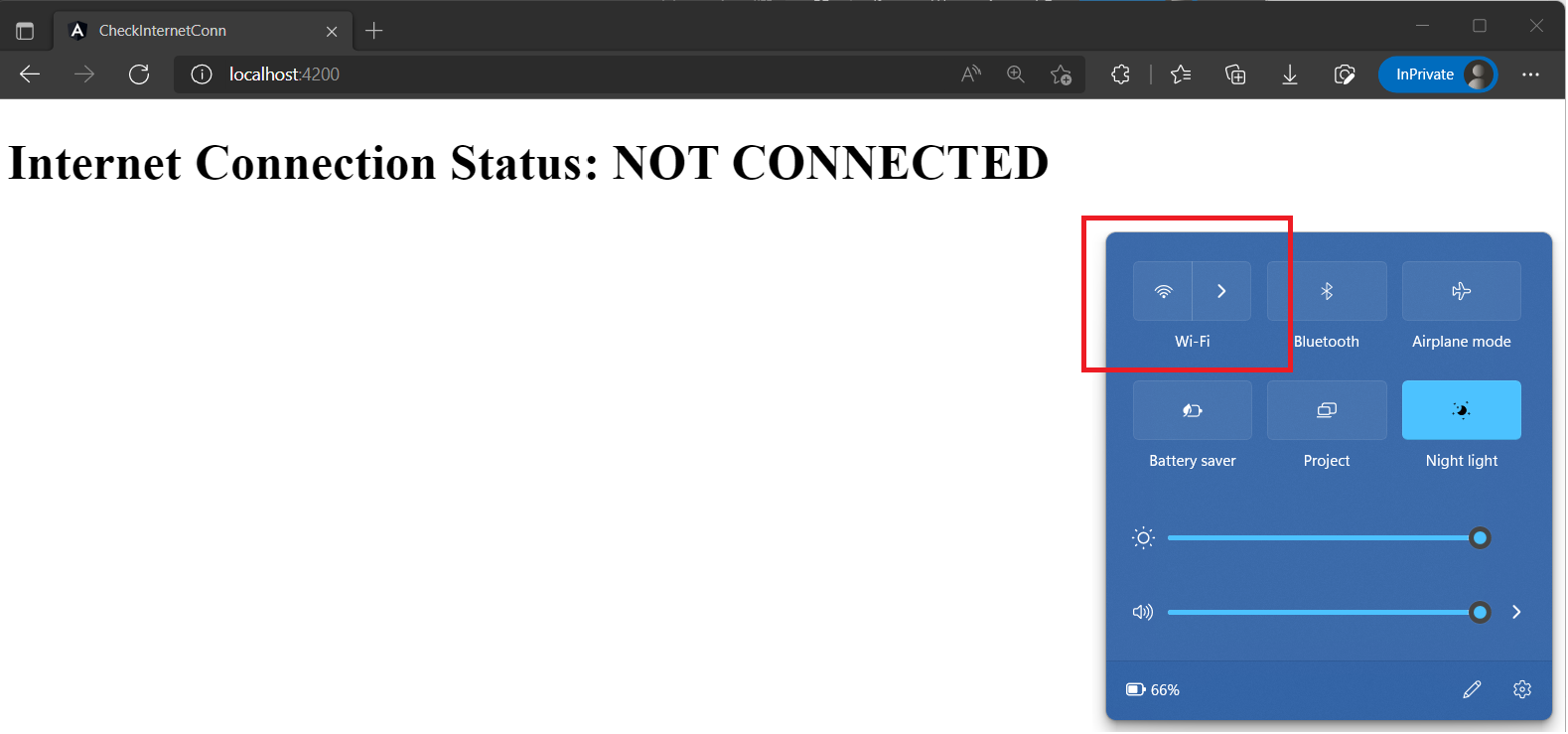
In this article, we will see how to check for internet connection status in Angular 13. It’s a very straightforward idea and we can achieve this in multiple ways. We will go through 2 different ways to implement this detection method. Note that this is NOT for how to check internet speed, nor is it to test internet connection quality. In this article, we will only implement a network connectivity status indicator. So, let’s get started.
Prerequisites
- Should have Angular project running (Learn How)
Table of Content
- Method 1: Using ‘rxjs’ module to Detect Internet Status
- Method 2: Using NPM Library to Detect Internet Status
Method 1: Using 'rxjs' Module to Check for Internet Connection Status
In order to check internet connection stability or to test internet connection reliability, we will use the “rxjs” module in Angular. Copy the following code in the “app.component.ts” file:
import { Component, OnDestroy, OnInit, VERSION } from '@angular/core';
import { fromEvent, merge, of, Subscription } from 'rxjs';
import { map } from 'rxjs/operators';
@Component({
selector: 'app-root',
templateUrl: './app.component.html',
styleUrls: ['./app.component.css']
})
export class AppComponent implements OnInit, OnDestroy {
networkStatus: boolean = false;
networkStatus$: Subscription = Subscription.EMPTY;
constructor() { }
ngOnInit(): void {
this.checkNetworkStatus();
}
ngOnDestroy(): void {
this.networkStatus$.unsubscribe();
}
// To check internet connection stability
checkNetworkStatus() {
this.networkStatus = navigator.onLine;
this.networkStatus$ = merge(
of(null),
fromEvent(window, 'online'),
fromEvent(window, 'offline')
)
.pipe(map(() => navigator.onLine))
.subscribe(status => {
console.log('status', status);
this.networkStatus = status;
});
}
}
Now that we have written the code to check for internet connection, let’s add HTML for the network connectivity status indicator. So, copy the following code in the “app.component.html” file:

Internet Connection Status:
{{ networkStatus ? "IS CONNECTED" : "NOT CONNECTED" }}
Is Internet On: Internet Connected
Is Internet On: Internet Disconnected
A little TypeScript Ternary Operation is used up there. But you could use the value of the ‘networkStatus’ variable to perform various tasks. One such example would be to display a toast notification or even ‘sweetalert’. Check out here.
This was the first method for how to check for internet connection status in Angular 13. Let’s see the 2nd method.
Method 2: NPM Library to Check for Internet Connection Status
This method is my preferred way to check internet connection stability, just because of its simplicity and efficiency.
To begin with, run the following command in a terminal to install the NPM library named: is-online.
npm i is-online
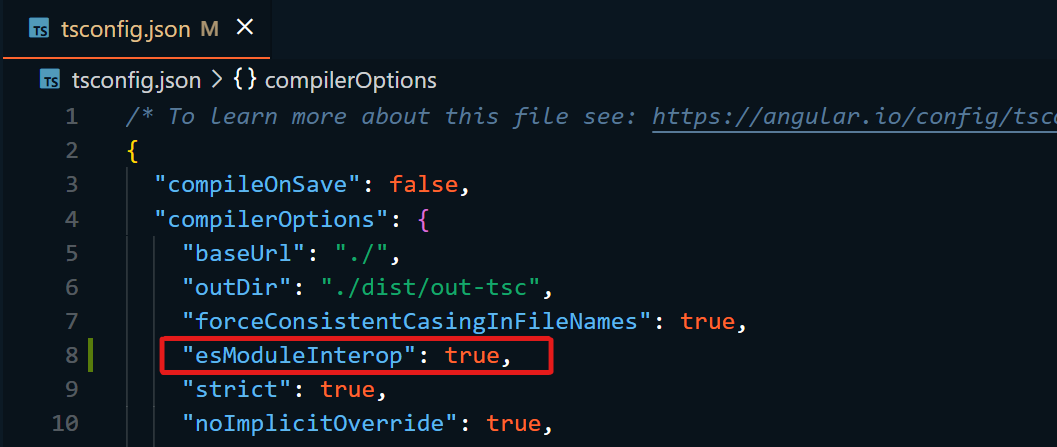
Next, add this line of code in the “tsconfig.json” file. I’ve added an image to help you as well.
"esModuleInterop": true,
To check internet connection stability or to test internet connection reliability, copy the following code in the “app.component.ts” file:
import { Component, OnInit } from '@angular/core';
import isOnline from 'is-online';
@Component({
selector: 'app-root',
templateUrl: './app.component.html',
styleUrls: ['./app.component.css']
})
export class AppComponent implements OnInit {
networkStatus: boolean = false;
// check for internet connection
ngOnInit(): void {
(async () => {
this.networkStatus = await isOnline();
})();
}
}
Now that we have written the code to check for internet connection, let’s add HTML for the network connectivity status indicator. So, copy the following code in the “app.component.html” file:
Internet Connection Status:
{{ networkStatus ? "IS CONNECTED" : "NOT CONNECTED" }}
Is Internet On: Internet Connected
Is Internet On: Internet Disconnected
And that’s a wrap!
We just saw 2 different methods on how to detect internet status in Angular 13. Hope you found the content helpful. You may also want to learn how to find browser version and name in Angular or how to send data between Angular component. Feel free to leave reviews in the comment section below.
Have a great one!
Recent Posts
- Vavada online casino w Polsce – rejestracja 347
- Fast paying sites that keep withdrawals simple and players satisfied
- Chicken Road – Online Casino Slot Offering Wild Chicken Road-Crossing Action.6223 (2)
- B9 Game in Pakistan how betting in the game and winnings work.8713
- What New Zealand Players Notice First When Trying Slots Online for Real Money
Recent Comments
Archives
- May 2026
- October 2024
- September 2024
- August 2024
- June 2024
- January 2024
- November 2023
- October 2023
- September 2023
- August 2023
- June 2023
- May 2023
- March 2023
- December 2022
- November 2022
- October 2022
- September 2022
- August 2022
- July 2022
- June 2022
- May 2022
- April 2022
- February 2022
- January 2022
- December 2021
- November 2021
- October 2021
- September 2021
- August 2021
- July 2021
Categories
- Angular
- AWS
- Backend Development
- Big Data
- Blog
- Cloud
- Database
- Deployment
- DevOps
- Docker
- fi
- Frontend Development
- GitHub
- Google Cloud Platform
- hu
- Installations
- it
- Java
- JavaScript
- Linux
- MySQL
- Networking
- News
- nl
- no
- NodeJS
- Operating System
- Python
- Python Flask
- Report
- Security
- Server
- SpringBoot
- Subdomain
- TypeScript
- Uncategorized
- VSCode
- Webhosting
- WordPress
Search
Recent Post
Vavada online casino w Polsce – rejestracja
- 25 May, 2026
- 5 min read
Fast paying sites that keep withdrawals simple
- 25 May, 2026
- 4 min read
Chicken Road – Online Casino Slot Offering
- 25 May, 2026
- 7 min read