In this article, we are going to go step by step on how to create CRUD API using NodeJS and MySQL database. This can be done on all operating systems, such as Windows, Mac or Linux. Then at the end we will look at testing this API as well using popular testing tool POSTMAN. But before we start there are some prerequisites that we need to look at:
Prerequisites!
NodeJS and therefore, NPM should be installed. (Install Node JS)
Should have basic knowledge about JavaScript and MVC architecture
Should have MySQL installed. (Install MySQL)
STEP 1: Creating NodeJS Backend
So, let’s get started. Create a folder called “node_crud_api”. And then open up a terminal or a console and execute the following command to initialize NPM and also to install all the needed node packages.
After you entered the above command, it’s going to ask you a bunch of questions, just add what’s relevant and hit enter otherwise. Just as shown in the section below:
Then execute this command in order to install required packages. This would create a file named “package.json”
STEP 2: Setting Up Webserver
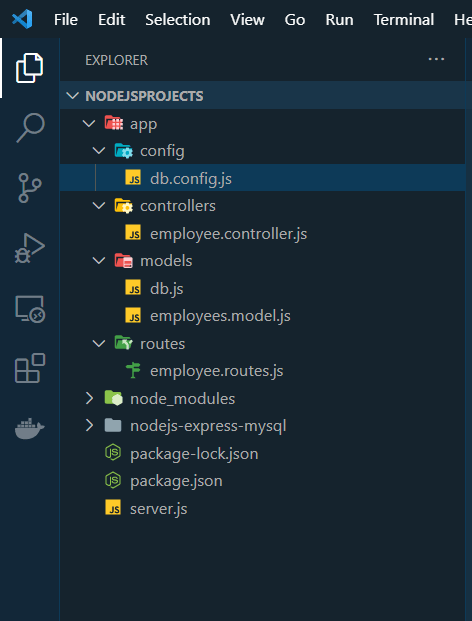
Now you need to open up our project folder in a text editor such as VSCode and start creating files and directories. There is a picture attached at the bottom of this article that shows all the files and folders that we’re going to add in this project. So, you can check that out for clarity. First create a file called “server.js” in the root directory. Add the following code in there.
Explanation
We are importing 2 important modules here, namely Express and bodyParder. Express module is used for creating API and body-parser extracts the entire body portion of an incoming request stream and exposes it on req.body. Which makes it easier to deal with. We are then creating a basic GET route or any incoming request on “/home” URL. And lastly, we are opening up port 3000 and listening on all incoming http requests directed to that port.
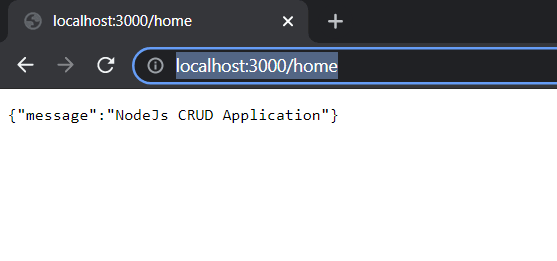
Now we have created a basic server on NodeJS. Let’s run it and check of its working. Execute the following command and then go to a browser and type the URL: http://localhost:3000/home. It should give the following output:
Basic Webserver on Node JS
STEP 3: Setting Up Database
A) Creating MySQL DB and Table
Open up any GUI based MySQL management studio. I will be using MySQL Workbench. And create a Database called ‘employeedb’ and then create a table called ‘employee’. Add some records into it. It should show something like this:
MySQL Database on WorkBench
B) Database Configuration
To make everything neat and clean and to make sense, we are going to separate out all the development layers into different folders and files. So, first make a folder called “app” and then make another folder called “config” inside the app folder. Now we need to add a file called “db.config.js” inside the config folder. In this file, we will add some database environment variables. Copy the following code in that file.
You will obviously change according to your setting of MySQL. For example, DB name or PASSWORD may not be the same, so you should it accordingly.
C) Connecting MySQL with Server
After that, we need to get MySQL connection with our NodeJS Server. Let’s make a folder called “models” in the app folder and add a new file called “db.js” inside it and the following in db.js file
STEP 4: Configuring CRUD Operation
Moving on, we are now going to create a service layer where all the CRUD operation is being held. For this, we need to create a file called “employees.model.js” inside the “models” folder. The functions we’ll will make are for the following:
Add New Employee
Find Employee by Id
Get All Employees
Update Employee by Id
Remove Employee by Id
Remove All Employees
Add the following code in the file:
STEP 5: Creating Routes
After that, now we jump on creating various routes for all the incoming HTTP requests (GET, POST, PUT, DELETE). Create a folder called “routes” inside the app folder and then create a file called “employee.routes.js” inside the folder. Add the following routing code in the file:
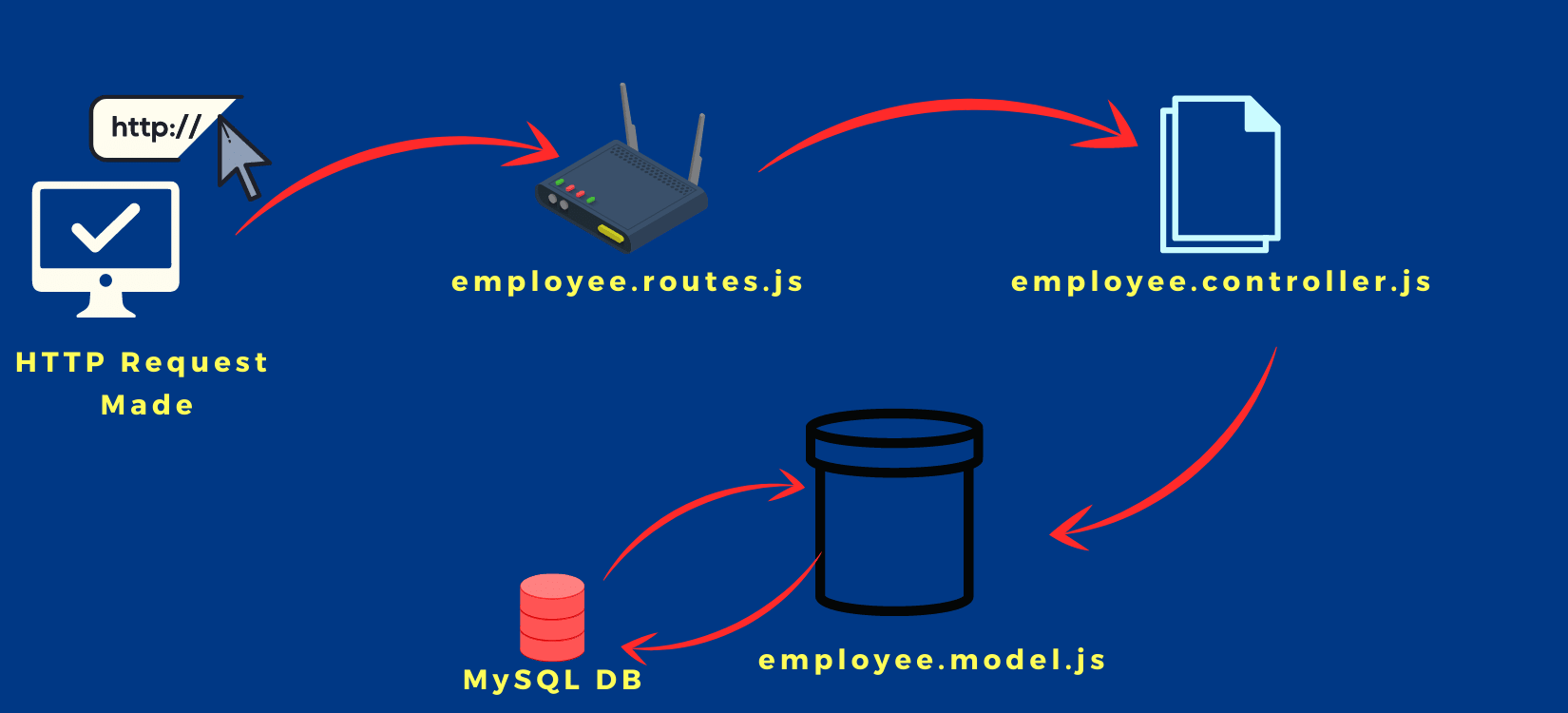
This contains all the endpoints for all the incoming http requests. After a user searches a URL and it gits this endpoint, this endpoint will then call a controller class. That controller class will validate the incoming request and then call the relevant CRUD service from the “employees.model.js” file that we created earlier.
One more thing that we need to do is to add the routes folder path in the server.js file too. The final version of the server.js file would contain the following code.
The new addition is done on line 12.
STEP 6: Creating Controllers
Create a new folder called “controllers” and then add file named “employee.controller.js” inside that folder. Now add the following code inside the file:
And that’s all. Let’s take a look at a visual representation on how the process actually works.
Workflow of CRUD API Using Node JS
STEP 7: Testing With POSTMAN
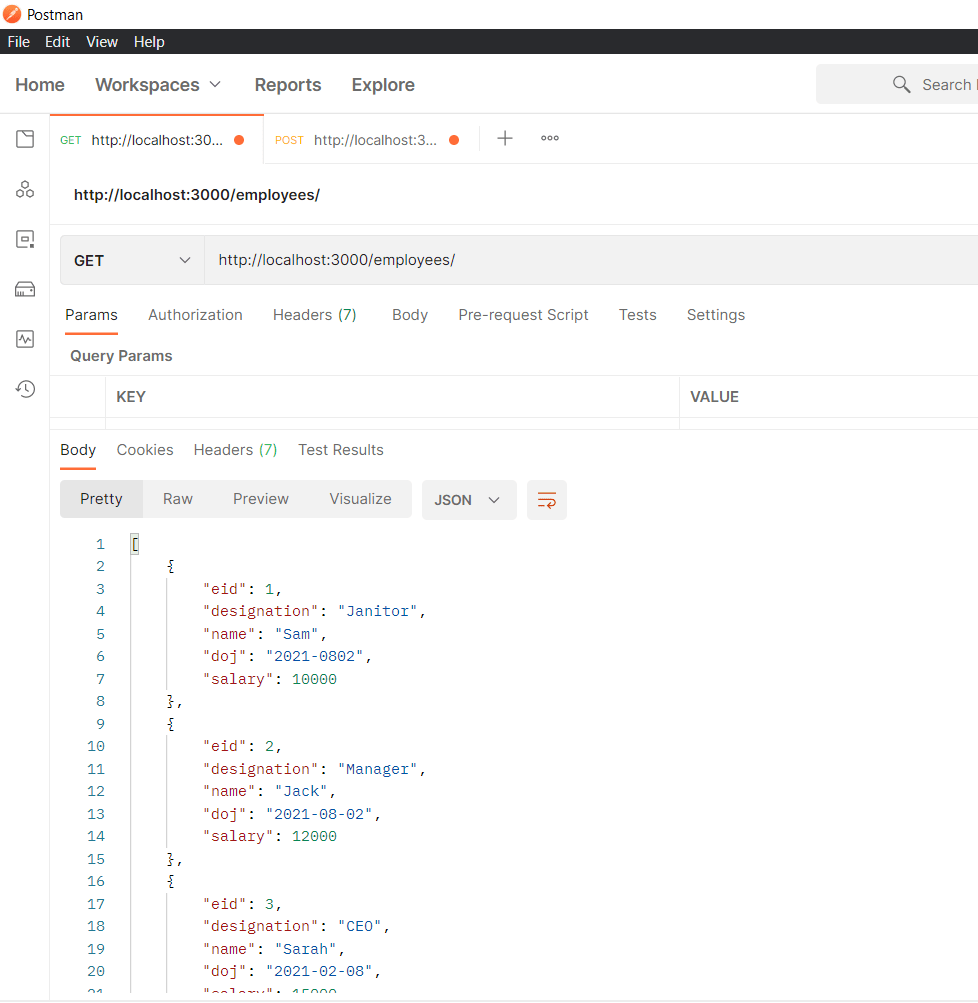
GET – Fetching all Employee
GET Request Send on Postman
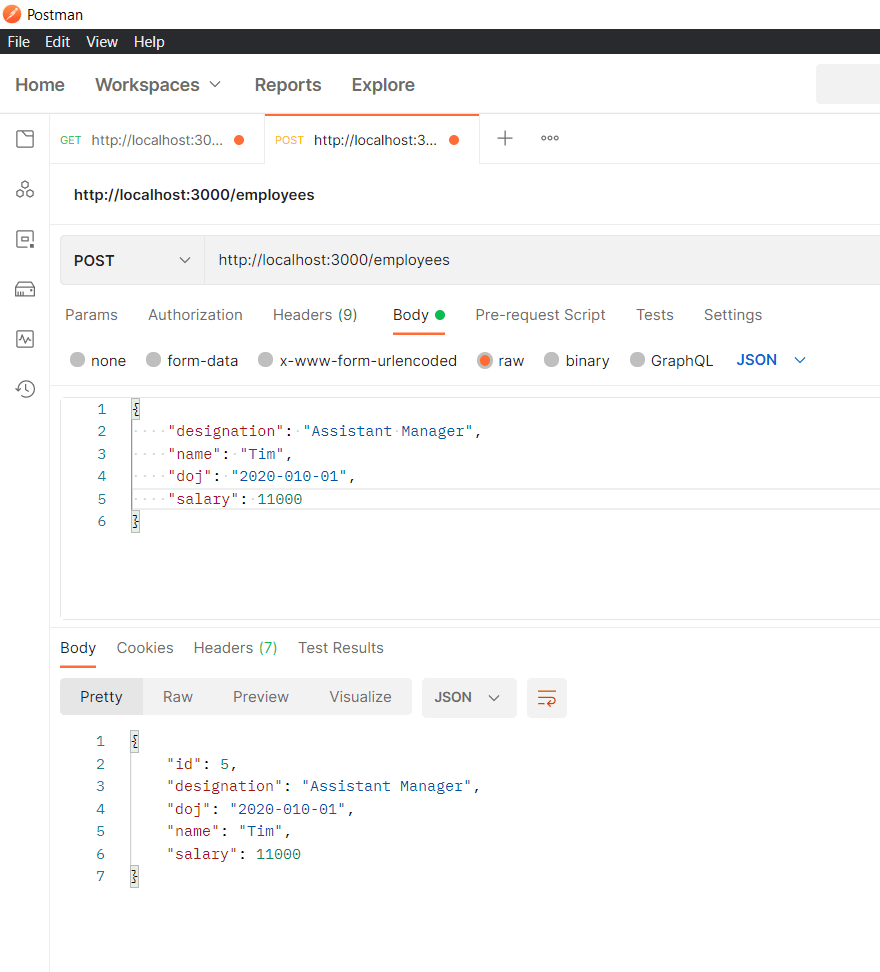
POST – Adding a new Employee
POST Request Send on Postman
And that’s all!
I hope this article helped figure out exactly how you can create a CRUD API using NodeJS and MySQL. I hope it made you confident enough to start using this in your next project. Please like comment down you reviews.
Have a great one!
Final show of all directories and files in the project.