Hey developers! As you’ve probably guessed, we are going to see how to create Node JS REST API with SQL Server example. I have also made a similar article for node js rest API crud MySQL database as well. So, feel free to check that out too.
Let’s get started with creating a folder for our project named “node-js-rest-api-with-sql-server”. Next, we need to initialize our NodeJS project. To do that, execute the following command in terminal or CMD:
The above command will generate a file named “package.json” in your project’s root directory.
STEP 2: Install NodeJS Project Dependencies
Next, we need to install all the dependencies that are required to create Node JS REST API with SQL Server database. We need 4 NPM dependencies: Express, node-parser, mssql, and nodemon.
STEP 3: Setting up a Web Server with Node JS
Now that our Node JS project has been set up, let’s create a simple web server with node js. Create a file named “index.js” and copy the following code into it.
After this, open a terminal or CMD and run the following command to start the NodeJS server.
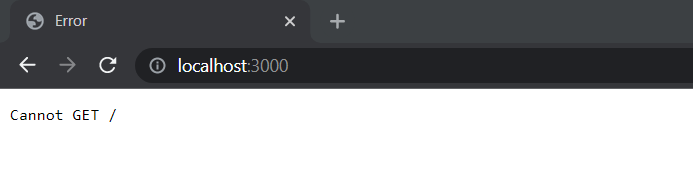
This will start the server on port 3000. You can check this by going to the following link in your browser: ‘localhost:3000’
Explanation:
In this class, we have imported Express and body-parser. Express is a web framework that will be used to create routing and REST APIs in our simple Node JS project. Body-parser is used to attach to the HTTP request and can parse it to be more accessible for us. The bodyParser.json() method will allow and handle the incoming request body or payload to be in JSON format.
Then we are exposing our server to listen to any HTTP call on port 3000. Below is the image of the output:
NodeJS Server Working
STEP 4: SQL Server Connection in Node JS
For the next step, we will be configuring SQL Server in our NodeJS Service. Note that installation of SQL server is a prerequisite for this step. Create a folder named “config” and inside create a file named “db.config.js”. Add the following code in the db.config.js file:
In the above code, change the password and database to your actual database and its password.
STEP 5: Creating REST API for Crud Operations
We will now create our service layer where all the CRUD-related operations will be performed. For this, create a folder named “model” and create a file inside it named “customer.model.js”. We will be creating four functions for performing Insert, Update, Delete and Fetch from SQL Server Database. Copy the following code in the “customer.model.js” class.
STEP 6: Creating Routes in Node JS
Moving on, we need to create routes to handle all incoming HTTP calls. Create a folder named “routes” in the root directory and then create a file name “customer.routes.js” in it. Add the following code to the file:
Here I have added 4 different routes, one for each CRUD operation as mentioned in the comments.
STEP 7: Adding Controllers in Node JS
Lastly, we need to create a controller class which would be an intermediate between the routes and the service layer (customer.model.js). This is where nodejs call rest API would be performed. Hence, create a folder named “controllers” and then create a file inside it named “customer.controller.js”. Copy the following code inside this file:
STEP 8: Direct HTTP CALLS to Routes
Lastly, you need to redirect all the incoming HTTP calls for specific routes to its routes.js file. Since we only have customer routes in our project, we will redirect to only it. Just copy the following code and replace all in the “index.js file”.
And that’s all!
Run the project using this command:
STEP 9: Testing With POSTMAN
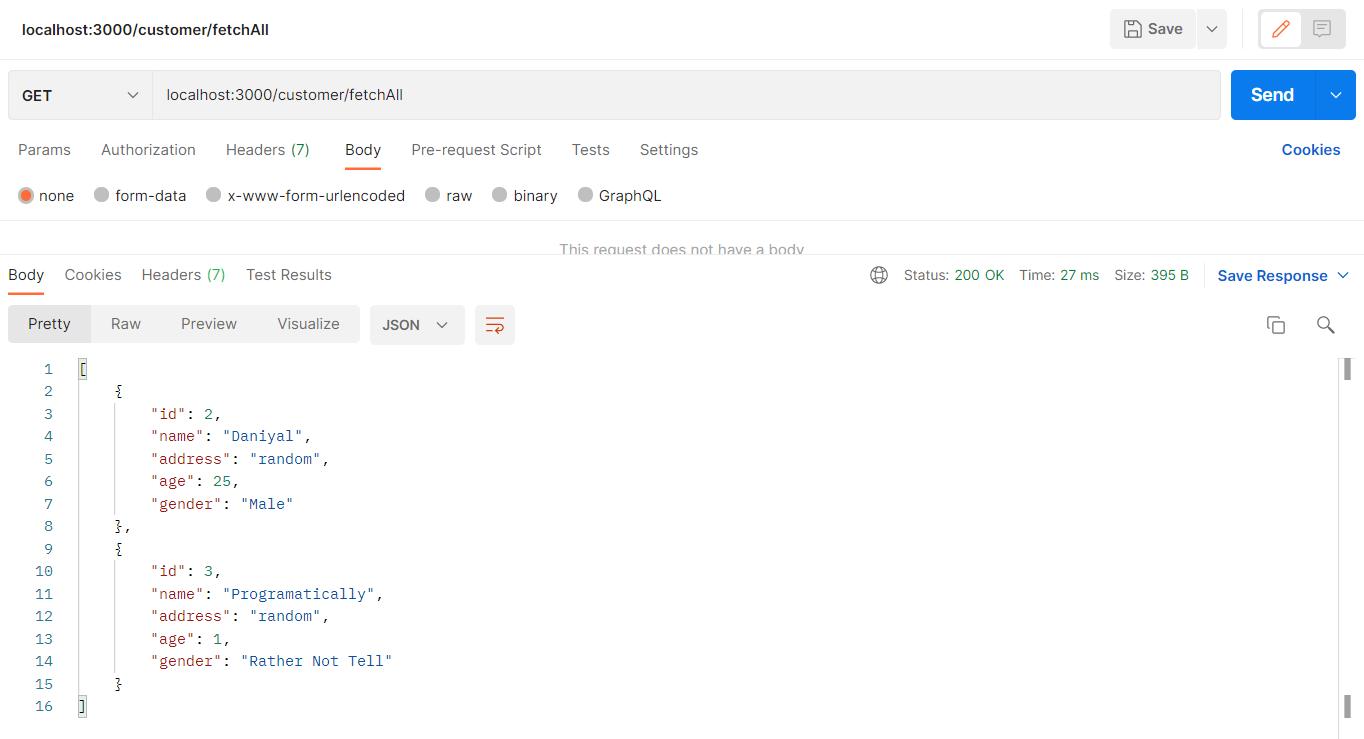
GET – Fetching all Customers
TESTING WITH POSTMAN nodejs fetching all data API
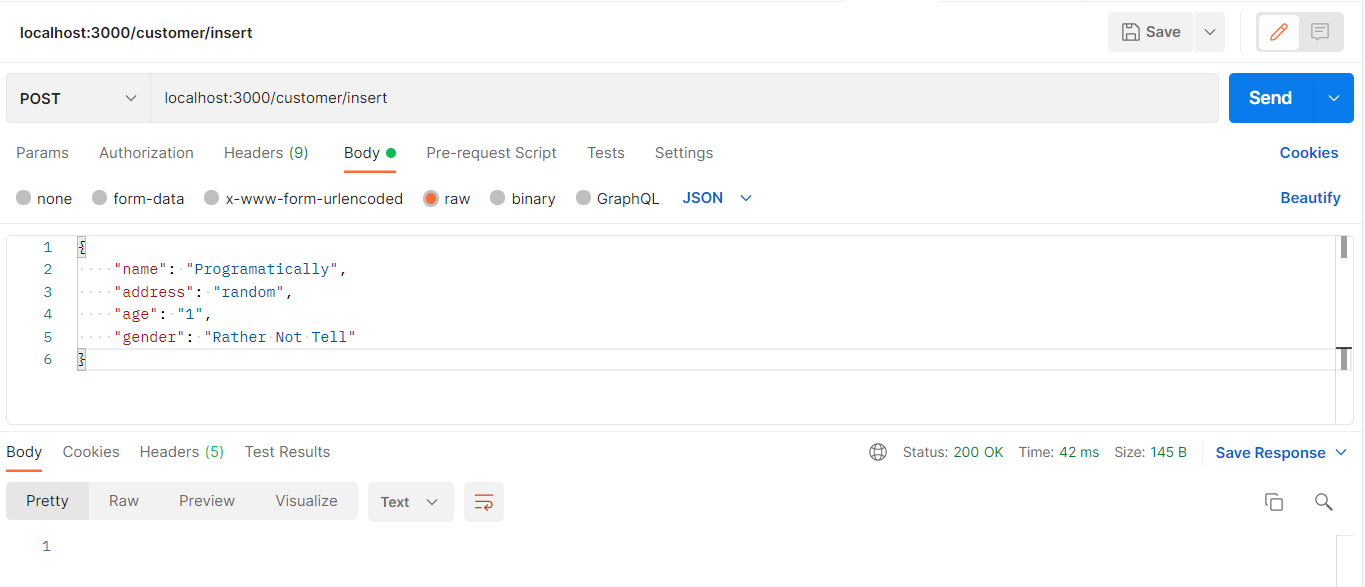
POST – Adding a new Customer
TESTING WITH POSTMAN nodejs insert API
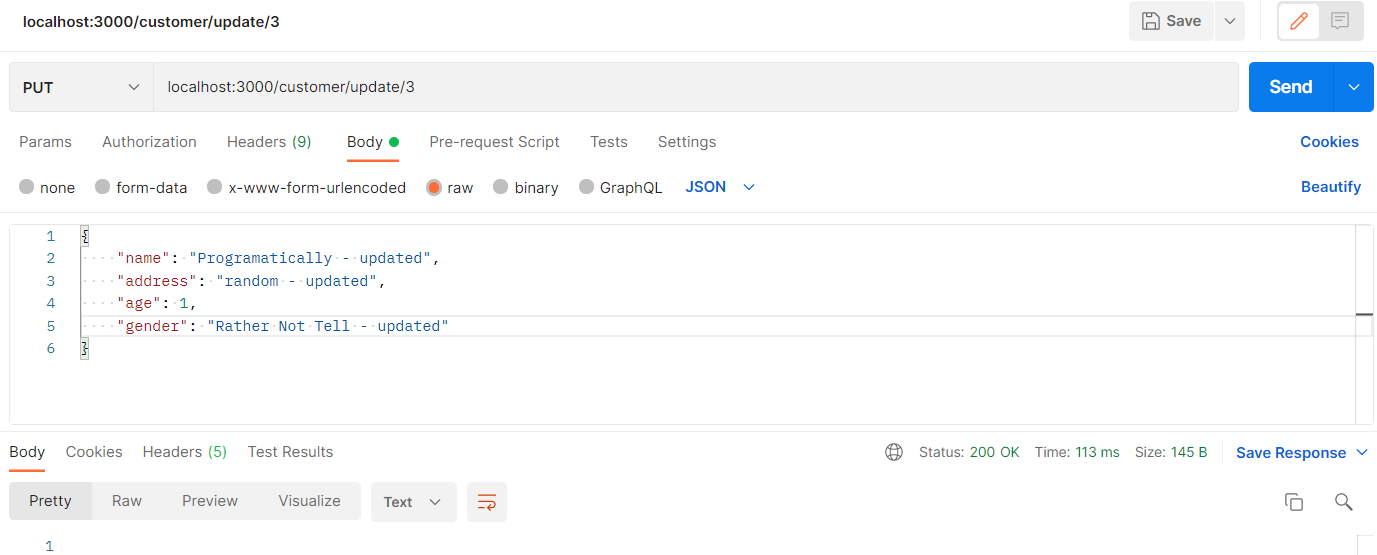
PUT – Updating a Customer Using Customer Id & Request Body
TESTING WITH POSTMAN nodejs update API
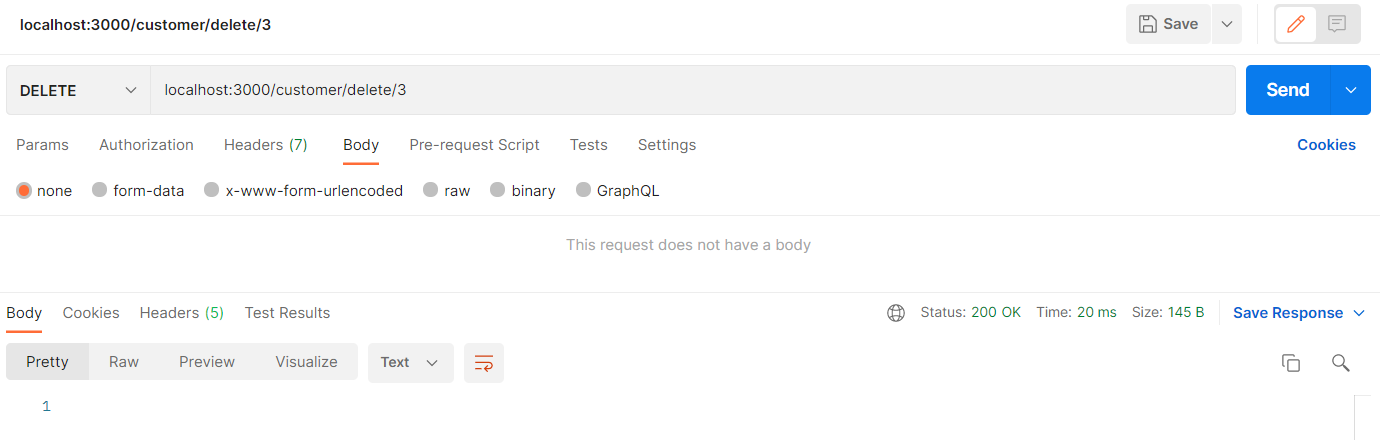
DELETE – Delete a Customer Using Customer Id
TESTING WITH POSTMAN nodejs delete API
And that’s all!
I hope this article helped you figure out exactly how to create Node JS REST API with SQL Server example. I hope it made you confident enough to start using this in your next project. Please like, and leave your reviews in the comment section below.
Have a great one!
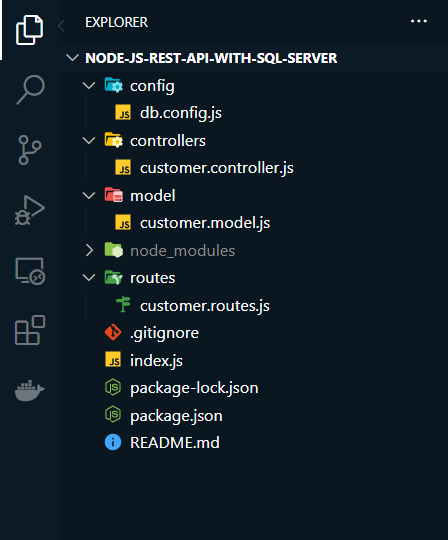
The final show of all directories and files in the project.