In this article we will go step by step and see how to deploy JasperReport Server Docker Container. This would not require much expertise over the field. If you are looking for an easy and fast way to deploy JasperReport Server on your local or server machine, then follow along.
Disclaimer:
I am going to use bitnami GitHub repository, which contains all the necessary files and scripts. Bitnami is the sole owner of the git repository and I have no contribution in its development phase. I am simply going to show you how to utilize their repository. GitHub repo link is mentioned at the end of the article.
STEP 1: Download Docker Compose File from GitHub Repository
Create a project folder on your computer. Let’s name it “My Project”. In here open a bash script terminal, either through git bash terminal or vscode terminal. In the terminal, copy and run the following code:
This command will download a file named “docker-compose.yml” inside this “MyProject” directory.
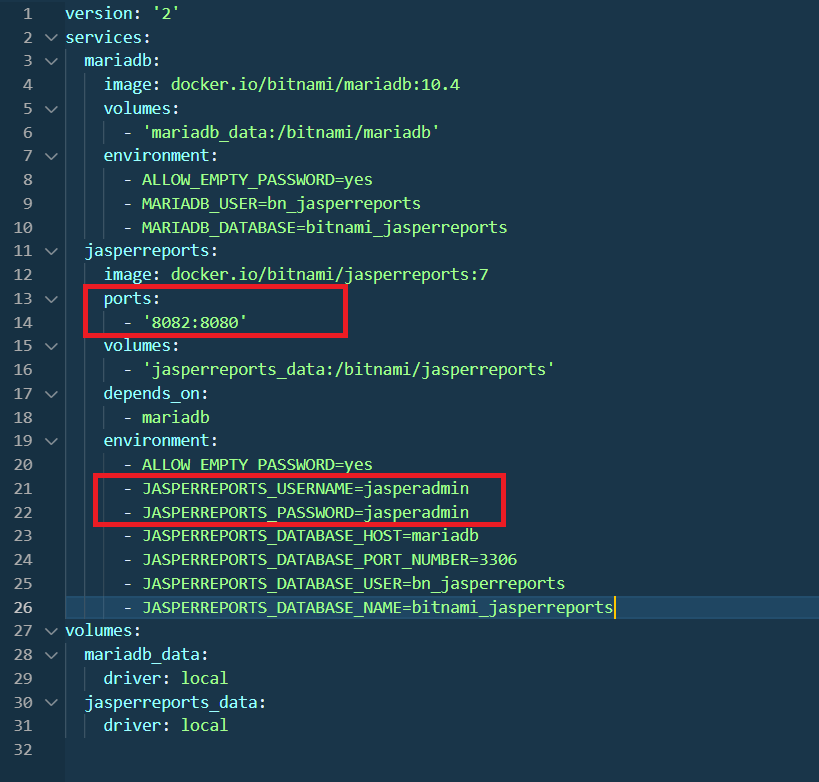
STEP 2: Change the JasperServer Report Port Number
Open the “docker-compose.yml” file that you just downloaded in a notepad or vscode. And make the changes as highlighted in the image below:
Changing Ports and Credentials for JasperReport Server
STEP 3: Deploy JasperReport Server Docker Container
For this step, make sure that Docker service is running and Docker Compose is already installed. If you’re on windows, then you will install Docker Desktop. The plus point is, Docker Desktop already comes with docker compose, so you do not need to worry if you’re on Windows. Open up your terminal and run the following command:
This command will take a while to execute. This command will download 2 large docker images (JasperReport Server and MariaDB). After downloading, it will spin up their containers to work together in conjunction. All of this would be done just by executing one single command mentioned above. To access JasperReport Server on your browser, just search up this link:
http://localhost:8082/jasperserver/
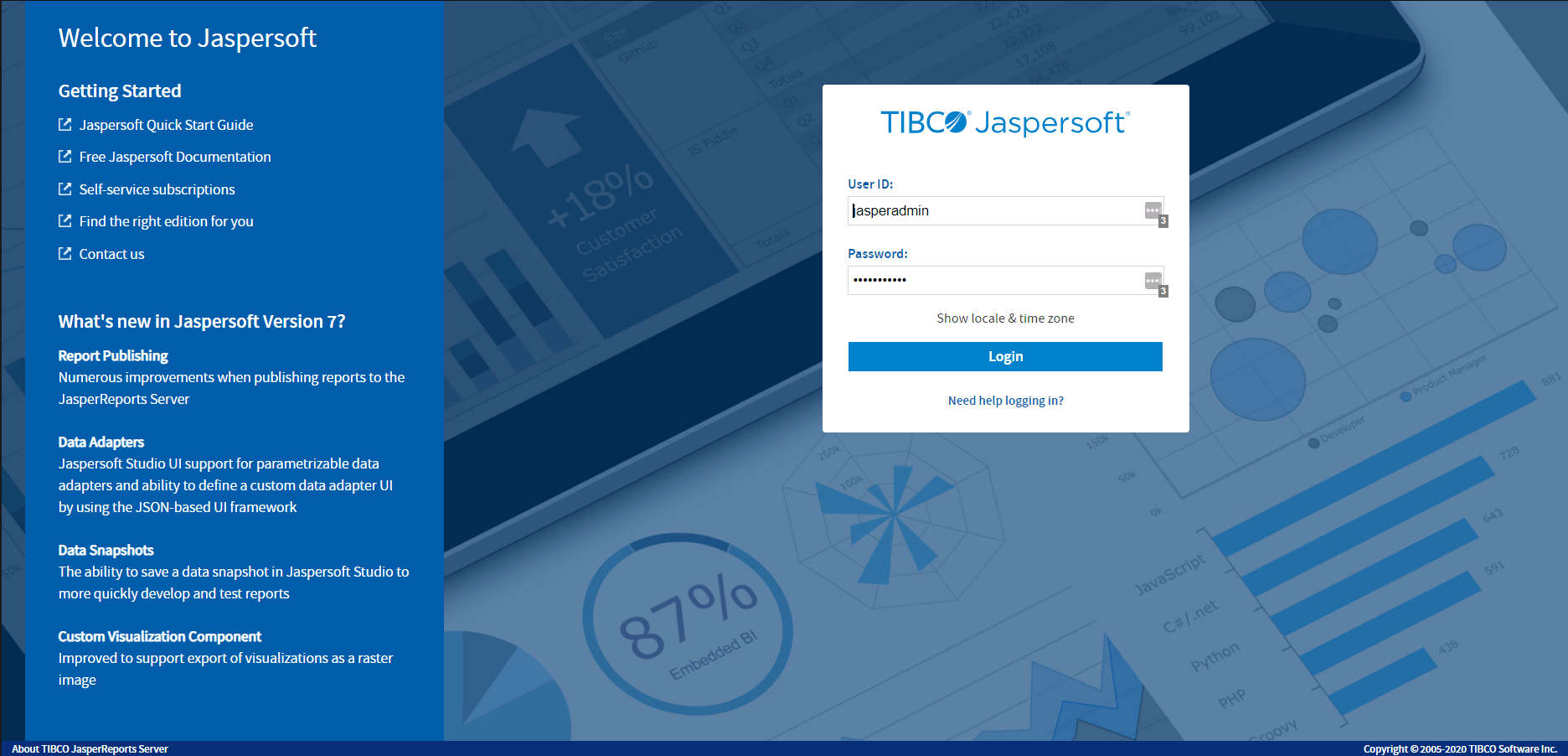
This is what it would show up in your browser:
Web View of JasperReport Server Through Docker Container
That’s a Wrap!
We have successfully deployed JasperReport Server using Docker container. To read more on the process of how it works, I’ve added the link at the bottom to bitnami GitHub repository. They have an extensive documentation with everything clearly explained.
I hope this article helped you with your tasks. Please leave a comment to give your reviews. Have a great one!